Affichage des articles dont le libellé est Samsung. Afficher tous les articles
News: Samsung Galaxy S4 to launch in India on April 26

News: Samsung Galaxy S4 to launch in India on April 26

News:

Samsung Galaxy S4 to launch in India on 

April 26

Samsung had announced that the Galaxy S4 smartphone will start shipping worldwide by the end of this month. The Korean giant is sticking to its word and today we have news coming in from India that the flagship smartphone will be launching on Friday, April 26.
No word on pricing yet, but you can expect the smartphone to be priced upwards of ?40,000. The HTC One, in comparison, is priced at ?42,990. The Indian version of the Galaxy S4 is also expected to be the I9500 model, which runs on the Samsung Exynos 5 Octa processor.
Other specifications include a 5.0-inch, 1920 x 1080 resolution Super AMOLED display, 2GB RAM, 16/32/64GB internal memory with microSD card slot, 13 megapixel rear camera and 2 megapixel front camera, Android 4.2 Jelly Bean and a 2,600mAh battery.
Source


Samsung Unveils Two Galaxy Mega Phones

Samsung Unveils Two Galaxy Mega Phones


Following its tradition of covering all the empty spots, Samsung, the current leader in the smartphone industry has unveiled yet another duo of smartphones with incredibly large displays. The phones, Galaxy Mega 5.8 and 6.3 are also named accordingly with their sizes.
Both of these handsets are in fact so big that they can easily put the Galaxy S IV to shame. And the Note II isn’t that far either.

Samsung Galaxy Mega 6.3


Here we are discussing the better of the two, the Mega 6.3 in detail.
Galaxy Mega 6.3 runs on Android 4.2.2 Jelly Bean customized with Samsung’s Nature UX. Galaxy Mega 6.3 has also borrowed some of the software tricks from the Galaxy S4. The Mega 6.3 is equipped with a 6.3 inch display on the front with 720p HD resolution. The capacitive multitouch display is protected with Corning’s Gorilla Glass.
Under the hood is a dual-core 1.7Ghz Cortex A15 processor and (an unusual) 1.5GB of RAM. The internal storage is set at 8 or 16GBs which is expandable via a microSD card slot. At the back is a 8 megapixel camera along with a 1.9 megapixel camera at the front.
Connectivity options are quite a lot too. The Mega 6.3 supports 4G LTE, Bluetooth 4.0, microUSB 2.0, USB-on-the-go, NFC, IR Blaster, Wifi Hotspot and GPS. Despite all this rich package, the phone is just 8mm thick.
Here are the full specs of the smartphone:
  • Android 4.2.2 Jelly Bean customized with Touchwiz UI
  • 6.3 inch display with 720p HD resolution
  • Weight: 199g
  • Just 8mm thick
  • 4G LTE supported
  • 1.7Ghz dual-core Cortex A15 processor
  • Mali-T604 GPU
  • 1.5GB RAM with 8/16 GB expandable storage
  • 8 megapixel back camera with LED Flash and HDR
  • 1.9 megapixel front camera
  • Bluetooth 4.0, microUSB 2.0, USB-OTG, NFC, IR Blaster, Wifi Hotspot, GPS
  • 3200 mAh battery
The phone will be available in May this year. No word on pricing has been given currently.
One thing to Note in this package is that the duo does not support the S-Pen. While one of Galaxy Note’s key selling features was this very thing, it will be interesting to see whether the Mega phones will be able to repeat its success without it.

Samsung Galaxy Mega 5.8


The second of the ‘Mega’ phones unveiled by Samsung alongside the Mega 6.3 was the Mega 5.8. The phone is not exactly the cheaper version of the Mega 6.3 phone. Other than the obvious screen size, the phone is behind the smartphone in a number of ways.
To start off, the phone will come with a 5.8 inch display with pretty average qHD resolution of 540 x 960 pixels, which will probably raise a lot of eyebrows. Just like the Galaxy Mega 6.3, the Mega 5.8 also follows the usual Galaxy S III design language. The phone is just 9mm thick and weighs 182 grams.
It runs on Android 4.2.2 Jelly Bean customized with Samsung’s Nature UX. Under the hood is a 1.4Ghz dual-core processor alongside 1.5GB of RAM. The amount of storage is set at 8GB which is expandable via a microSD card slot.
At the back is a 8 megapixel camera with LED flash, HDR mode and 1080p Full HD video recording. At the front is a 1.9 megapixel front-facing camera. A dual-sim version of the phone will be available too.
Unfortunately though, a lot of features found in the Mega 6.3 are missing here. The software tricks of high-end Samsung smartphones are missing here and so are the high-profile connectivity options including NFC, LTE and IR Blaster.
Here are the full specs of the Mega 5.8:
  • Android 4.2.2 Jelly Bean customized with Touchwiz UI
  • 5.8 inch display with qHD resolution
  • 9mm thick
  • Weight: 182grams
  • Optional dual-sim support
  • 1.4Ghz dual-core processor
  • 1.5GB RAM with 8GB expandable storage
  • 8 megapixel back camera with Full HD video recording
  • 1.9 megapixel front-facing camera
  • Bluetooth 4.0, microUSB 2.0, GPS, Wifi Hotspot
  • 2600 mAh battery
The phone will be available for release this May. Considering its specs sheet, it should be priced closer to the Galaxy Grand.

Samsung and Ufone to Co-Launch Galaxy S4 in Pakistan

 Samsung and Ufone to Co-Launch Galaxy S4 in Pakistan 


John Park (L), Managing Director Samsung, and Akbar Khan (R), Chief Marketing Officer at Ufone exchanging the MoU at the launch of Samsung Galaxy S 4.

Samsung and Ufone have joined hands to launch Samsung Galaxy S4 in Pakistan during the first week of May 2013.
An MoU was signed between both the companies today, under which Ufone will become the exclusive cellular partner for the launch and sale of Samsung Galaxy S4. Ufone said that it will offer Galaxy S4 to its customers at easy instalments, However, no further details were mentioned during the event.
Ufone will make Samsung Galaxy S4 available at its service centres in various cities of Pakistan.
Samsung’s flagship device Galaxy S4 is latest addition to Galaxy series of Samsung, offering possibilities for “Consumers on the go”. Samsung said that it had registered around 10 million pre-orders for the phone which is yet to be launched globally.
Ufone too will soon initiate pre-booking of Samsung Galaxy S4 for the Samsung Smartphone enthusiasts.
Speaking at the event Farid Ullah Jan, head of Mobile phone business at SEPAK said, “In today’s age staying connected on the go is an essential. Samsung Galaxy S4, being a real life companion, goes a step ahead in providing the most advanced user experience that makes consumers’ life richer, simpler and more fun”.
Akbar Khan, Chief Marketing Officer at Ufone, during his notes said that Ufone has this distinction in partnering with Samsung for the co-launch of Galaxy S4 in Pakistan. He said that this initiative has proven that Ufone always takes a lead in the introduction of innovative technology and next generation products for the benefit of its customers. By having this alliance Ufone reiterates that it is best smartphone friendly operator in Pakistan, Akbar added.
Price for Galaxy S4 – at the time of launch – is expected to be around Rs. 70,000
Here are specs for Galaxy S4:
  • OS: Android OS, v4.2.2 (Jelly Bean)
  • CPU: Quad-core 1.6 GHz Cortex-A15 & quad-core 1.2 GHz Cortex-A7
  • Chipset: Exynos 5 Octa 5410
  • GPU: PowerVR SGX 544MP3
  • Design:
    • Dimensions: 5.38 x 2.75 x 0.31 in
    • Weight: 130 g
  • Display:
    • Type: Super AMOLED capacitive touchscreen, 16M colors
    • Size: 1080 x 1920 pixels, 4.99 inches (~441 ppi pixel density)
    • Protection: Corning Gorilla Glass 3
  • Memory:
    • Card slot: microSD, up to 64 GB
    • Internal: 16/32/64 GB storage, 2 GB RAM
  • Connectivity: GPRS, EDGE, HSDPA: 42.2 Mbps; HSUPA: 5.76 Mbps; LTE, Cat3, 50 Mbps UL, 100 Mbps DL, Wi-Fi 802.11 a/b/g/n/ac, Wi-Fi Direct, Wi-Fi hotspot, Bluetooth, NFC, Infrared port, microUSB v2.0 (MHL), USB On-the-go, USB Host
  • Primary Camera: 13 MP, 4128 x 3096 pixels, autofocus, LED flash
    • Features: Dual Shot, Simultaneous HD video and image recording, geo-tagging, touch focus, face and smile detection, image stabilization, HDR
  • Secondary Camera: 2 MP
  • Battery: Li-Ion 2600 mAh battery

Apple iPhone Custom Rom for Samsung Galaxy Y GT-S5360 With Installation Instruction

Apple iPhone Custom Rom for Samsung Galaxy Y GT-S5360 Updated
 

Hi friends as we all all know that Samsung galaxy y is one of the popular low ended android device and its development regarding apps and custom Rom's is very fast and for that thanks to all the developers who made this possible every day we have some new taste for our galaxy y . So this time here is a new custom Rom known as [Apple iPhone Rom] Apple iPhone Custom ROM for Galaxy y GT-S5360.

Screen Shots


Device Name: Samsung Galaxy y GT-S5360
Size: 152.08 MB

Warning:
This custom Rom is only meant for Samsung Galaxy y GT-S5360 and not for other devices. Use it at your own risk we will not be held responsible if you brick or damage or whatever happens to your device while following our instructional guide.

Installation Instruction:
  • Backup your system and charge battery full
  • Download and Unrar and put in sdcard \ clockworkmod \ backup \
    in CWM restore Dynasty! and turn your phone off.
  • Now Boot in Stock Recovery mode by pressing(Vol Up + Home + Power button) together
  • Select "Wipe data/factory reset" - Yes
  • Select "Wipe cache partition" - Yes
  • Select "Apply update from sdcard"
  • Install "Apple iPhone Rom" rom
  • Reboot your phone.

Congratulation! you have successfully installed Apple iPhone ROM on your Samsung Galaxy y GT-S5360

Samsung Laptop R540 Drivers For Windows

 Samsung Laptop R540 Drivers For Windows 7,8,xp
Samsung's claims for the R540. Pretty standard looking, it is a delicious chocolate color and has an all-rounder configuration. The chocolate look of the Samsung R540 is combined with the fact that it's a comfortable and quiet laptop to use. An all-rounder, it is at ease with office documents and has a number pad. On the downside, its screen lacks contrast and the touch pad is too small.

Specifications

Notebook: Samsung R540 (R540 Series)
Processor: Intel Core i5 450M
Graphics Adapter: ATI Mobility Radeon HD 545v
Display: 15.6 inch, 16:9, 1366x768 pixels, glossy: yes
Weight: 2.4kg
Price: 750 euro
Links: 
Samsung homepage
Samsung notebook section

 Samsung Laptop R540 Drivers For Windows 7,8,xp
 
DescriptionOSRelease DateLanguageSize (MB)Download File
Bluetooth,BROADCOM (Driver) (ver.6.3.0.8800)
Windows 7(32bit,64bit)Nov 23, 2011MULTI LANGUAGE63.38Download
Chipset (Driver) (ver.9.1.1.1025)
Windows 7(32bit,64bit)Nov 23, 2011MULTI LANGUAGE2.47Download
Chipset (Driver) (ver.9.1.1.1025)
Win XPNov 23, 2011MULTI LANGUAGE2.67Download
Intel Rapid Storage (Driver) (ver.1.0.0.0)
Windows 7(32bit,64bit)Nov 23, 2011MULTI LANGUAGE10.34Download
Lan (Driver) (ver.11.22.3.3)
Windows 7(32bit,64bit)Nov 23, 2011MULTI LANGUAGE1.31Download
Lan (Driver) (ver.11.22.3.3)
Win XPNov 23, 2011MULTI LANGUAGE1.31Download
Qualcomm Atheros WLAN Driver (Driver) (ver.1.0.0.1)
Windows 7(32bit,64bit)Jul 11, 2012MULTI LANGUAGE74.16Download
Sound(Audio) (Driver) (ver.5.10.0.6013)
Win XPNov 23, 2011MULTI LANGUAGE125.24Download
Sound(Audio) (Driver) (ver.6.0.1.6083)
Windows 7(32bit,64bit)Nov 23, 2011MULTI LANGUAGE54.68Download
Touchpad (Driver) (ver.14.0.10.0)
Win XPNov 23, 2011MULTI LANGUAGE31.86Download
Touchpad (Driver) (ver.7.0.7.0)
Windows 7(32bit,64bit)Nov 23, 2011MULTI LANGUAGE42.44Download
VGA(Graphics),INTEL (Driver) (ver.6.14.10.5303)
Win XPNov 23, 2011MULTI LANGUAGE17.49Download
VGA(Graphics),INTEL (Driver) (ver.8.15.10.2202)
Windows 7(32bit)Nov 23, 2011MULTI LANGUAGE37.88Download
VGA(Graphics),INTEL (Driver) (ver.8.15.10.2202)
Windows 7(64bit)Nov 23, 2011MULTI LANGUAGE39.79Download
Wireless LAN,ATHEROS (Driver) (ver.9.2.0.470)
Win XPNov 23, 2011MULTI LANGUAGE33.73Download
Wireless LAN,ATHEROS (Driver) (ver.9.2.0.470)
Windows 7(32bit,64bit)Nov 23, 2011MULTI LANGUAGE33.73Download
Wireless LAN,BROADCOM (Driver) (ver.5.100.82.94)
Win XPNov 23, 2011MULTI LANGUAGE28.19Download
Wireless LAN,BROADCOM (Driver) (ver.5.100.82.95)
Windows 7(32bit,64bit)Nov 23, 2011MULTI LANGUAGE46.03         
Download  

Note: If You Need Any Driver, Feel Free to Comments Here

Samsung Has Just Release Jelly Bean Update Android Version: 4.1.2 – Build JZO54K

Samsung Has Just Release Jelly Bean Update Android Version: 4.1.2 – Build JZO54K


Official Android 4.1.2 Jelly Bean update for the Galaxy Ace 2 has arrived

Samsung has just started to roll out Android 4.1.2 Jelly Bean update for the Galaxy Ace 2 (GT-I8160). You might not be able to update your device to Android 4.1.2 Jelly Bean right away as the update is rolling out in phases. So, it might not yet be available for your country but don’t worry the update will arrive soon.
You can update your Samsung Galaxy Ace 2 (GT-I8160) through Samsung KIES or via OTA. Make sure you fully charge your device’s battery before upgrading as the update is quite big.

Samsung Galaxy Official Firmware Details:

Android Version: 4.1.2 – Build JZO54K
PDA: I8160XXMC8
CSC: I8160TMNMC3
MODEM: I8160XXMC8
Build Date: 26 March 2013
Changelist: 1016990

All the new Android 4.1.2 Jelly Bean Firmwares for the Galaxy Ace 2 (GT-I8160) are present in samsung Firmware Section as well. You can use samsung Firmware Section to manually update your device if for some reason you can’t officially update your device via Samsung Kies or via OTA as you are using a Custom ROM or if your country has yet not received the Android 4.1.2 Jelly Bean Update.

If you have a Galaxy Ace 2 with the 4.1.2 update installed,
please send us some screenshots.


The latest firmware for your Samsung Device.

Welcome on the firmware page of SamMobile, formerly known as SamFirmware.
What is this? The firmware page of SamMobile is specially for the die-hard Samsung owner. The person who love to tweak with their device fully on their own risk!

Remember by using this page everything is on your own RISK.
All information is from Samsung KIES. The firmwares are officially released by Samsung if nothing says the opposite

Advices from SamMobile
  • - Please use Samsung KIES or OTA updates! (Over the air)
  • - Use SamMobile firmware page only if you are 100% sure what you are doing!
SamMobile do not take any responsibilty if you brick or damage your phone using files that can be found on this site. It's all on your own risk.
If there are any questions or problems please use our support forum. To download you need to be logged in with an email-verified account! You can use the same user credentials as on the forum and the website.

When the KIES logo has been activated you are able to update your device also by Samsung KIES.
All our firmwares are official Samsung firmares!

Latest Firmware 


Model Country/Carrier Date Version PDA CSC Kies Info

Firmware Source

The Android 4.1.2 (build JZO54K) Jelly Bean update for Galaxy Ace 2 comes with the improved notifications, performance, battery life and a new TouchWiz. The update is currently rolling out in Portugal and is available through Samsung KIES and Over-the-Air (OTA).


Page Source

How To Take A Screenshot On The Samsung Galaxy S2

How To Take a Screenshot On The Samsung Galaxy S2
 (Free Trick – No Apps Required)


Most Android phones require Root access and/or an app in order to be able to take a screenshot of your phone’s display. Well, that’s not the case on the Samsung Galaxy S or S2! Both versions of the Samsung Galaxy smartphones have the ability to take screenshots easily without any third-party software or root access. Follow the easy steps below to take a screenshot on your Samsung Galaxy S or Galaxy S2 (S II I9100).

Instructions:

 1. Samsung Galaxy S: Press and Hold down the BACK button and then press the POWER button. If that doesn’t work, you can also try: Press and Hold the BACK button and then double-pressing the HOME button.

Samsung Galaxy S2: Press and Hold down the HOME button and then press the POWER button.


2. That’s it! Seriously, it’s that easy! You’ll see a message appear on the screen that says “Screenshot captured. Saved as image file”. You can then go to your Gallery app to see the screenshots that you have captured in the Screen Cap folder. You can also find them by navigating to the /sdcard/Screen Capture folder.

UPDATE:
If you recently updated your Samsung Galaxy S2 to the latest version of Android 4 ICS (Ice Cream Sandwich) the methods above may no longer work. Try this instead:
1. Press Volume Down button & the Power Button at the SAME time to take a screenshot on Android 4.0 ICS. The screenshot will be added to the /sdcard/Pictures/Screenshots folder.

Now go try it out and start capturing some cool images of your Android screens! Leave us a comment if you have any questions.

Easy UnlockFlash For Samsung Galaxy - Support Android 2.2, 2.3,4.0,4.1

Free Easy UnlockFlash for Samsung Galaxy
 Support Android 2.2, 2.3,4.0,4.1

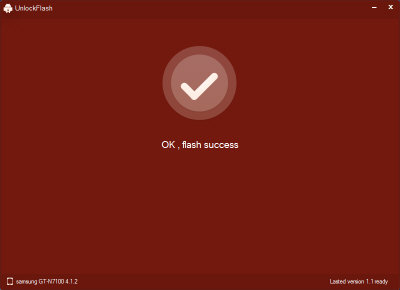
 As a great mobile manufacturer, Samsung Galaxy series have swept the world with their perfect update service. However, some restrictions may happen when you want to update your phone to the latest version in advance or degrade it to earlier version. Now you have a better software to do this: UnlockFlash. It can help you flash the OS of Galaxy S, S II, SIII, Galaxy Note and Galaxy Note II to any versions you want. UnlockFlash is a free software. It is much simpler than Odin and KIES. What you need to do is select the update file and make several clicks.

Stock ROM Flashing
ROM must be prepared before using UnlockFlash. It is available at relevant websites, such as samsung-updates.com, sammobile.com, etc. Please pay attention to the model and version before download it. Then download and install UnlockFlash as well as Samsung USB Driver. Enable USB debugging on your phone and connect it to your PC. After identified by UnlockFlash, you can proceed to flash it.


Screen Shot:


Note:


1. Please backup all the apps, contacts, messages and other important data on your phone before flash. Flash OS would wipe all these data on your phone.

2. UnlockFlash applies only to Samsung Galaxy S series and Note series. It is not applicable to other models.

3. UnlockFlash supports only Samsung Stock ROM. CM ROM are not supported.

Direct Download Link 

How to Unlock Samsung Galaxy S2 - Free Unlocker V1.0

 How to Unlock Samsung Galaxy S2 - Free Unlocker V1.0


Now you can unlock you Samsung Galaxy S2 - Free only with the imei number.
Samsung Galaxy S2 Unlocker is a free software that help s you to unlock your S2 free.

How to use:

1. Press *#06# on you S2 and get the Imei.
2. Open the S2 Unlocker and in the box enter the imei from step 1.
3. Select your country and hit UNLOCK.
4. See the Unlock Code in the red box.
5. Enter the code on your phone without sim , after that you will get a message with :RESTRICTION OFF!


Enjoy!
Don't forget to subscribe.
Direct Download Link 


Samsung R780 Driver for Windows 7 (32/64bit)


Samsung R780 Driver for Windows 7 (32/64bit)
Chipset
OS : Windows 7(32bit,64bit)
Version : 9.1.1.1025
File size : 2.67 MB
File name : Chipset_Win7_9.1.1.1025.zip
Download

Sound / Audio
OS : Windows 7(32bit,64bit)
Version : 6.0.1.6378
File size : 84.69 MB
File name : Sound_6.0.1.6378.ZIP
Download

VGA / Graphics Display,NVIDIA
OS : Windows 7(32bit)
Version : 8.16.11.8911
File size : 67.53 MB
File name : External_VGA_NVIDIA_32bit_Win7_8.16.11.8911.zip
Download

VGA / Graphics Display,NVIDIA
OS : Windows 7(64bit)
Version : 8.16.11.8911
File size : 86.11 MB
File name : External_VGA_NVIDIA_64bit_Win7_8.16.11.8911.zip
Download

Intel Turbo Boost
OS : Windows 7(32bit,64bit)
Version : 1.2.0.1002
File size : 1.51 MB
File name : Turbo_Boost_Win7_1.2.0.1002.zip
Download

HDMI
OS : Windows 7(32bit,64bit)
Version : 1.0.0.55
File size : 8.69 MB
File name : HDMI_Win7_1.0.0.55.zip
Download

Touchpad
OS : Windows 7(32bit,64bit)
Version : 15.2.15.1
File size : 35.48 MB
File name : Touchpad_15.2.15.1.ZIP
Download

Intel Rapid Storage
OS : Windows 7(32bit,64bit)
Version : 9.6.3.1001
File size : 11.66 MB
File name : Intel_Rapid_Storage_Win7_9.6.3.1001.zip
Download

Bluetooth
OS : Windows 7(32bit,64bit)
Version : 6.2.1.0800
File size : 61.76 MB
File name : Bluetooth_BuscaDriverWin7_6.2.1.0800.zip
Download

Lan/ Ethernet
OS : Windows 7(32bit,64bit)
Version : 11.29.2.3
File size : 2.3 MB
File name : LAN_11.29.2.3.ZIP
Download

Wi-Fi / Wireless LAN,REALTEK
OS : Windows 7(32bit)
Version : 2002.1.106.2011
File size : 17.05 MB
File name : WLAN_Realtek_32bit_2002.1.106.2011.ZIP
Download

Wi-Fi / Wireless LAN,REALTEK
OS : Windows 7(64bit)
Version : 2002.1.106.2011
File size : 17.05 MB
File name : WLAN_Realtek_64bit_2002.1.106.2011.ZIP
Download

Wi-Fi / Wireless LAN,ATHEROS
OS : Windows 7(32bit,64bit)
Version : 9.2.0.470
File size : 33.73 MB
File name : WLAN_Atheros_BuscaDriverWin7_9.2.0.470.ZIP
Download

Qualcomm Atheros WLAN Driver
OS : Windows 7(32bit,64bit)
Version : 1.0.0.1
File size : 74.16 MB
File name : QCA_WLAN_Driver_1.0.0.1.ZIP
Download

Wi-Fi / Wireless LAN,BROADCOM
OS : Windows 7(32bit,64bit)
Version : 5.100.82.95
File size : 46.03 MB
File name : WLAN_Broadcom_Win7_5.100.82.95.ZIP
Download