Affichage des articles dont le libellé est Social. Afficher tous les articles

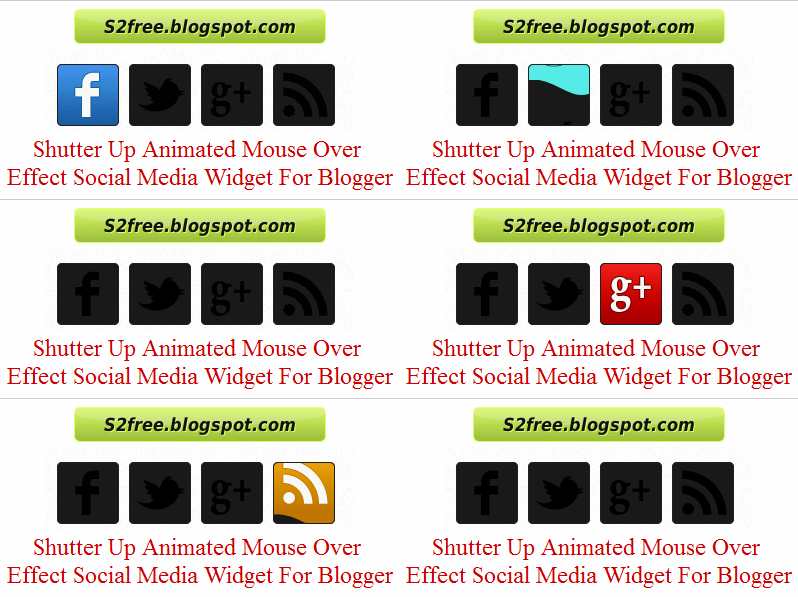
Shutter Up Animated Mouse Over Effect Social Media Widget For Blogger

 Shutter Up Animated Mouse Over Effect Social Media Widget For Blogger
 Hello Bloggiyan! Today we are sharing beautiful Shutter up Animated Social Media Widget to make your blog stylish. social media is a great way increase your blog traffic by sharing blog post on social media network. so this stylish widget help you to connect your visitor on your social media network. As showing a widget which is very impressive and with awesome css effects that is called window effect. We recommend you to try once this widget on your blog .

Just Single Step To Add Widget On Your Blog .


1. Go to blogger dashboard.
2. Click on layout.
3. Choose add a gadget.
4. Choose HTML/JAVASCRIPT.
5. Copy the below code and paste it.

6. Save the Template Arrangement Done.

Customization :

Replace Highlighted color link with your link 
Post Your Comments And Ideas

Moving Truck Social Media Widget For Blogger

Moving Truck Social Media Widget For Blogger

Hi Bloggiyan! Are you watching these cool moving truck, We are sharing Social Media Truck Widget For Your Blog. its eye catching widget when user saw your truck maximum possibility to click to join your social network and these truck always move in bottom of your blog .
hope you like this unique widget.

Advantage Of Moving Social Media Truck 

Very simple coding is used in this widget
Less time taken for loading
Mouse sense stop effect added this widget
Visitor are attractive to this widget
Visitor can easy to subscribe using this widget
It will improve your traffic via social media etc..

Easy Step To Add Moving Truck Social Media Widget Into Blogger


1. Go to blogger dashboard.
2. Click on layout.
3. Choose add a gadget.
4. Choose HTML/JAVASCRIPT.
5. Copy the below code and paste it.
 
Save Done!.

Customization 

Change Highlighted Link with Your Link
Replace S2freeblog with your Facebook ID
Replace feeds.s2freeblog.com with your RSS Feed URL
Replace s2free with twitter username
Now Save your Widget

Post Your Comments And Ideas

Metro UI Style Flipping Social Media Widget With Search Box For Blogger


Metro UI Style Flipping Social Media Widget With Search Box For Blogger


HI Bloggiyan! We always looking to provide easy & stylish widget for blog lover. Today we are sharing Metro UI Style Social Media widget with search option . Icons flipping style will attract your visitor & maximum possibility to join your network as showing in Facebook, Twitter, Google plus ,Pintrest  and Rss Feed. Above is animated preview. we always try to show you animated demo instead of real published demo to save your time . 

You can use this widget in blogger sidebar, footer , header or any where with just copy paste code .

How To Add Flipping Style Social Media Widget in Blogger.

 1. Log in to blogger account and Click drop down. 
2. Now select "Layout" Like Below.
3. Click Add Gadget and select 'HTML/JavaScript
4. Paste below one of below code.  


Connect With Us


Customization:

Replace s2freeblog with your twitter profile
Replace
s2freeblog with your facebook profile
Replace
s2freeblog with your feedburner profile
Replace
s2freeblog with your pinterest  Username
Replace UserId with your Google Plus User Id

5. Now save your HTML/Javascript'.
    You are done...  

New Style Smooth Floating Social Bookmarking Widget With Pin It For Blogger 2013

New Style Smooth Floating Social Bookmarking Widget For Blogger 2013

 
Today I have a new Floating Social Media Bookmarker and Sharing Widget with Smooth Scrolling and new look. Sharing on social media we all know and I have already discussed deeply about benefits of Social Media, because its bring flood of traffic to our website.

Floating Social Bookmarking Widget 2013
 

How to Install New Smooth Floating Social Media Bookmarking to Blogger.


Simply go to Blogger.com > Blogger Dashboard
Then Backup you blogger template

Go to > Layout > Add a Gadget > HTML/JavaScript Widget (wherever you want but must be in sidebar) not in footer.

Then copy this following code and past in HTML/JavaScript Gadget.


You have all done Now Check your blog home page.. I hope you will like my this widget.

Add Transparent Floating Horizontal Social Bookmarking Widget In Blogger 2013

Add Transparent Floating Horizontal Social Bookmarking Widget In Blogger 2013


Fixed Floating on Blogger Top Widget 
 
Another widget for blogger which I am also using in my blog then its come in mind why not I should Sharing this beautiful widget with all my visitors. I don’t have to show you demo of this widget to somewhere other website because you can see it in here my blog by scrolling down this page. Before I have shared such very useful widgets for blogs . This time what I am going to share it is Social Media Sharing Widget floating on the Top of blog when you scroll down page then it will appear on the top. I have attached above a live image of this Widget. Hope you all will like my this post.

How to Add Transparent Floating Horizontal Social Bookmarking Widget 


Go to Blogger Dashboard >> Template Tab >> Edit HTML >> Expand Widget by Click on Format Template.

Before any amendment or editing in template you must backup your template.

If you don’t have installed JQuery Plugin in your blog then follow this step otherwise leave this step in you have already JQuery installed.
Copy this script and past it before tag

Next step is find this code
 
May be you find this code more than 1 time so you have to try it in all. Now paste the following code below the


Now we have to add widget mean last step for the installation of this widget.

Copy below code and paste before the tag.


Smooth Sexy Expand On Hover Social Buttons For Blogger

How to Add a Smooth & Sexy Expand On Hover Social Buttons for Blogger Blog?


LIVE DEMO

The widget looks neat and clean in your sidebar or anywhere else with a smooth and sexy expand on hover effect which will tempt the reader to click the button at least once. The effect once again comes with help of our favorite CSS3 transitions. Make sure that we are not going to force the readers to click on the buttons. We are just trying to increase of the chances of clicking by giving some cool effects to the buttons. Have a look at the live demo and if you find it amazing or just want to give it a try, then get on with the tutorial to add it on your blog/website.


Features

  • Covers the most used four social networking buttons plus an RSS icon
  • Smooth Sexy expand on hover
  • Use of CSS sprites
  • Very neat and clean
  • No JavaScript. No jQuery. It's pure CSS

Add This To Blogger

If you want to Add this widget to blogger's blog then follow below steps-
  • Go To Blogger Dashboard
  • Click on Layout tab.
  • Now click On Add Gadget>>HTML/JavaScript
  • Now Paste below code there.

Replace all # with your respective social networking URLs.
Save this widget and preview your blog if it look nice on your blog then comment below.If you want any help then comment our problem below.